
Trikdis FLEXi Keypad SK-LCD button – Stručný návod na použitie
- 01.07.2025
- Výrobca: Trikdis
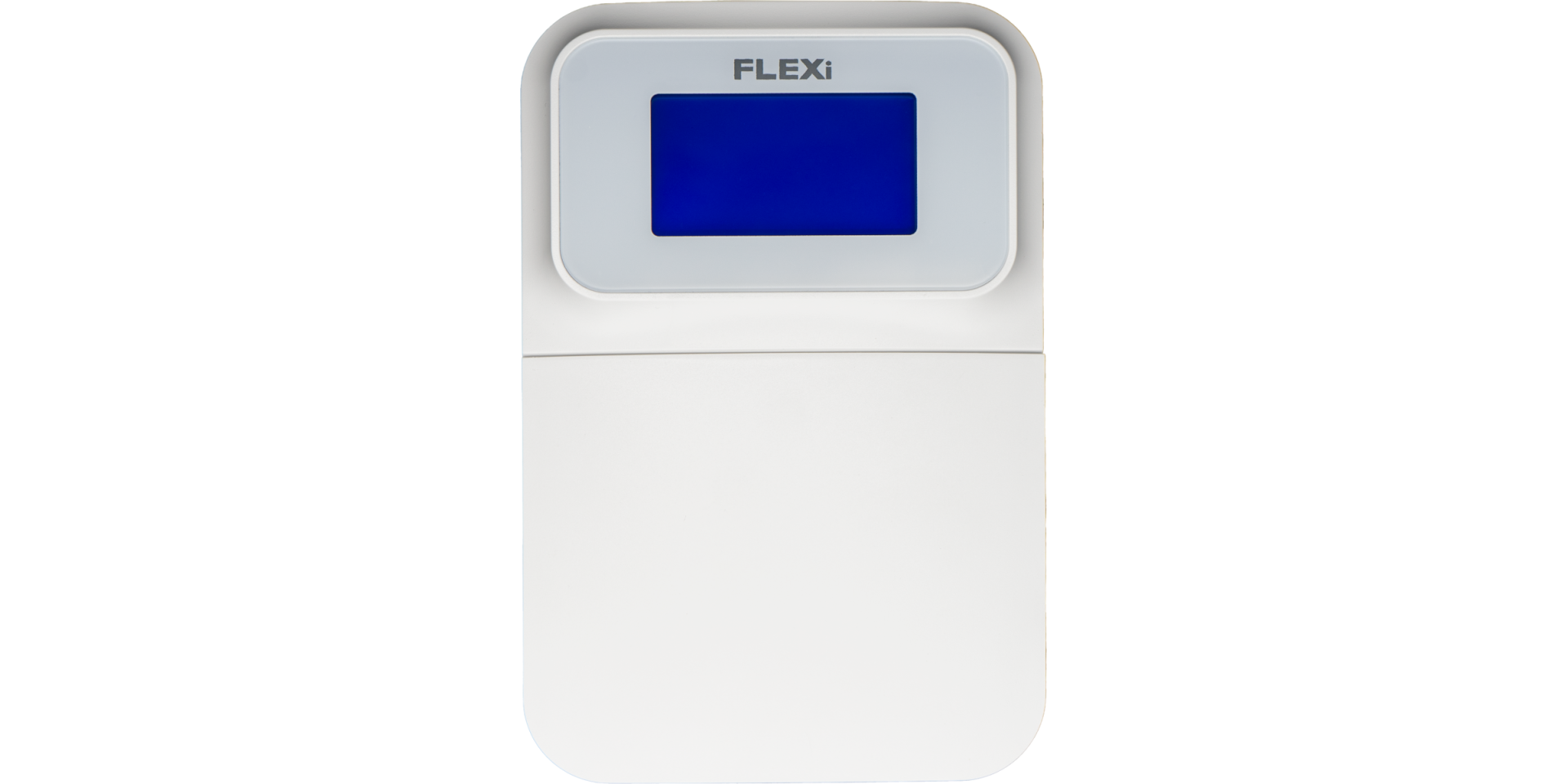

Prehľad funkcií
- Date
- Time
- Area Status Indication
- Area Control Buttons
- Menu Button
Alarm System (Away) ARMING
- Make sure no zones are violated.
- Stlačte [

 ] tlačidlo.
 - Enter your user code.
- Vyberte oblasťa.
- Stlačte [
 ] tlačidlo.
 - Leave the area within the exit delay time.
When the system is armed, the  icon appears on the display.
Alarm System DISARMING
- Enter your user code.
- Vyberte oblasťa.
- Stlačte [] tlačidlo.
When the system is disarmed, the  icon appears on the display.
NOČNÝ / SPÁNKOVÝ režim
The building's perimeter is secured, free movement inside is allowed. Alarms upon door/window opening.
- Stlačte [
 ] tlačidlo.
 - Enter your user code.
- Vyberte oblasťa.
- Stlačte [] tlačidlo.
- NIGHT arming activates immediately.
The  icon appears on the display when NIGHT arming is active.
STAY režim (Doma)
There is an entry delay. Free movement inside is allowed.
- Stlačte [
 ] tlačidlo.
 - Enter your user code.
- Vyberte oblasťa.
- Stlačte [] tlačidlo.
- STAY arming activates immediately.
The  icon appears on the display when STAY arming is active.
To change the area status, simply enter the user code and select the desired area. To clear entered commands, press the [ ] tlačidlo.
Adding a new code / Modifying an existing one:
- Stlačte [
 ], then the [0] tlačidlo.
 - Zadajte hlavný kód (predvolený: 1234).
- Enter the two-digit serial number of the user (e.g., 02).
- Zadajte nový kód dvakrát.
- Select the areas assigned to the user.
- Stlačte [] tlačidlo.
To exit, press the [] button again.
Poznámka
- Master code serial number: [01]
- Codes consist of 4 digits.
Deleting a user code:
- Stlačte [], then the [0] tlačidlo.
- Zadajte hlavný kód.
- Enter the two-digit serial number of the user (e.g., 02).
- Stlačte [] tlačidlo. (A confirmation sound will be heard.)
- Stlačte [] tlačidlo.
To exit, press the [] button again.
Aktivácia obídenia:
- Stlačte [], then the [6] tlačidlo.
- Enter your user code.
- Zadajte dvojciferné číslo (čísla) zóny(zón). Môžete zadať viac, napr. 05 potom 11.
- Stlačte [] tlačidlo. ( ikona sa zobrazí na displeji, ak je obídená zóna.)
Deaktivácia obídenia:
Zopakujte kroky aktivácie.
Odoslanie núdzového signálu:
- Polícia – stlačte tlačidlo [1] 3 sekundy
- Zdravotná pomoc Aid – stlačte tlačidlo [4] 3 sekundy
- Požiarníci – stlačte tlačidlo [7] 3 sekundy
Poznámka: Funguje iba s aktívnym predplatným vzdialeného monitorovania.
Resetovanie požiarnych (dymových) detektorov:
- Stlačte [] button for 3 seconds.
Poznámka: Požiarne a/alebo dymové detektory sa po alarme automaticky neresetujú. Musia sa resetovať manuálne.
Button Brightness
- Stlačte [], then buttons [5] and [3].
- Adjust the brightness with buttons [2] / [8].
- To save [], to exit [].
LCD Display Brightness
- Stlačte [], then buttons [5] and [2].
- Adjust the brightness with buttons [2] / [8].
- To save [], to exit [].
Keypad Volume
- Stlačte [], then buttons [5] and [1].
- Adjust the volume with buttons [2] / [8].
- To save [], to exit [].
Disabling Standby Light
This setting controls whether the keypad backlight illuminates even when the device enters standby mode (i.e., has not been pressed for a while).
- Stlačte [], then buttons [5] and [4].
- By pressing button [1], you can set the backlight to illuminate in standby mode, while with button [2], you can set it to turn off.
- To save [], to exit [].


Klávesnica „SK-LED button" spravuje 64 zón a 8 oblasťí. Partície možno priradiť jednotlivým klávesniciam, pričom klávesnica zobrazí iba stav priradených oblasťí. Funkcia dostupná od FW:SP3_xxx4_0121 ústredne.
Tagy:
Súvisiace články
Predstavujeme FLEXi SP3 – najlepšia inteligentná alarmová ústredňa od Trikdis
- 10.08.2020
Introducing the Trikdis FLEXi SP3 smart alarm control panel: integrated WiFi+Ethernet/2G/4G communicator, easy replacement, cost-effectiveness and smart home features.
Čítať viac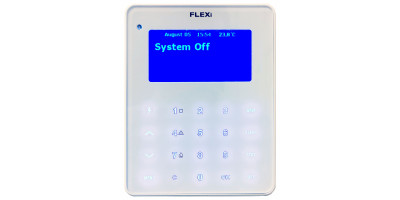
Postup aktualizácie firmvéru klávesnice FLEXi LCD
- 06.03.2023
Podrobný návod na aktualizáciu firmvéru klávesnice Trikdis FLEXi LCD pre alarmovú ústredňu FLEXi SP3.
Čítať viac
Trikdis FLEXi Keypad SK-LED button kezelő – Stručný návod na použitie
- 10.07.2025
Stručný návod na obsluhu klávesnice Trikdis FLEXi SK-LED button: zapnutie, vypnutie, správa kódov, obídenie zóny a núdzové funkcie.
Čítať viacSúvisiace produkty

Inteligentný poplašný panel Trikdis FLEXi SP3 Ethernet
Trikdis FLEXi SP3 Ethernet je flexibilný, všestranný inteligentný riadiaci panel systému alarmu s in..
€139,90 Bez DPH: €113,74
Trikdis SK-LCD Button klávesnica
Klávesnica FLEXi SK-LCD je spoľahlivé a používateľsky prívetivé zariadenie s LCD displejom a fyzický..
€67,90 Bez DPH: €55,20